
If you need to cancel an email you previously scheduled, follow these steps:
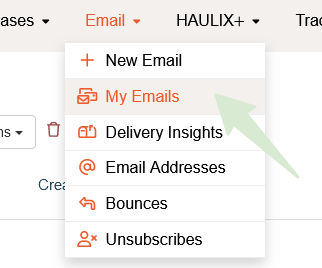
Hover over Email and click on My Emails
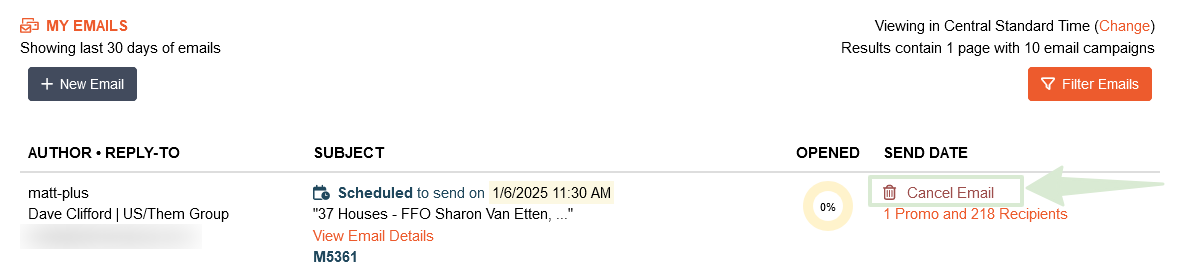
Find the email in question and click Cancel Email on the right side of the page. Finish by confirming your cancellation.

What are you looking for?
hibernate
Music Senders - Email
Canceling a scheduled email invitation – it's easier than you think!
Last updated on 28 Oct, 2025
If you need to cancel an email you previously scheduled, follow these steps:
Hover over Email and click on My Emails
Find the email in question and click Cancel Email on the right side of the page. Finish by confirming your cancellation.