
What are you looking for?

Get help straight from our team...

Music Senders - Contacts

How do I edit a contact?

Learn how to easily edit a contact with these simple steps.

Last updated on 28 Oct, 2025

Hover over Contacts and click on My Contacts

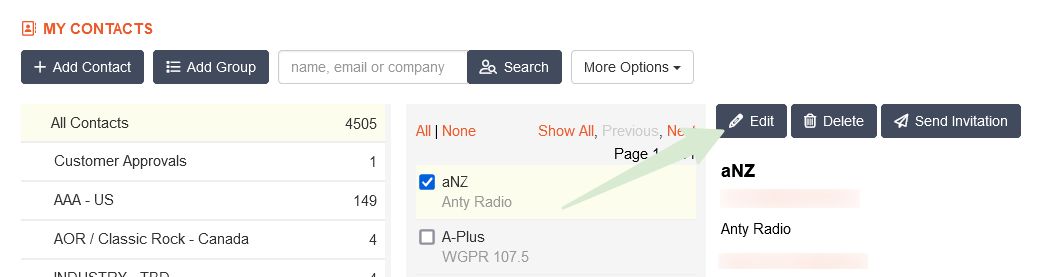
Select the respective contact in the middle column. To find a person, use the search feature.

With a contact selected, click the Edit button on the right side of the page
Image


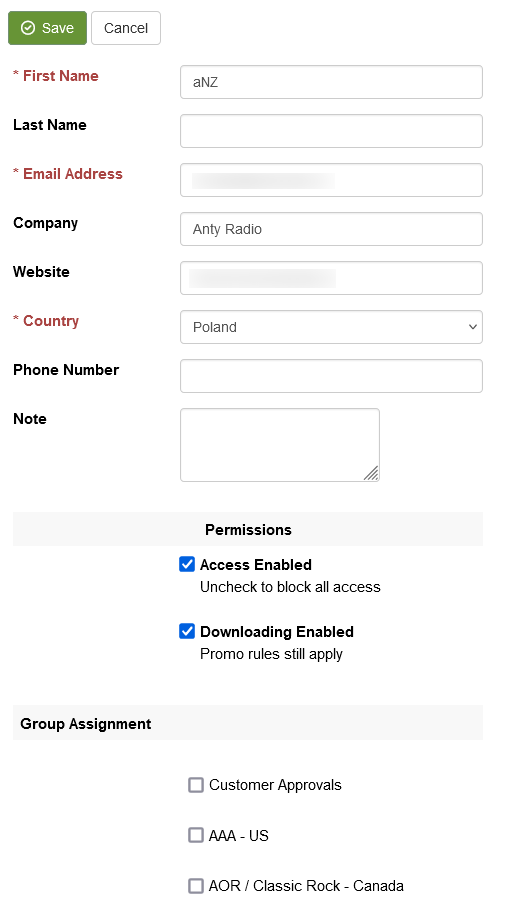
Update the contact's information and click Save

Image


Did you find this article helpful?
Previous

Do you offer a form I can use for getting new contacts into my account?

Next